


Skip to content
consile

Search Console in your AI assistant

Consile’s connector for Google Search Console. Ask about search queries, clicks, impressions and rankings, and get answers from your own search data.

Try free for 7 days

29

EUR/month excl. VAT for 1 user and 1 agreement (one Google account)

7

tools for your search data

5

AI assistants and more

ClaudeChatGPTMicrosoft CopilotGrokLocal AI (Ollama)

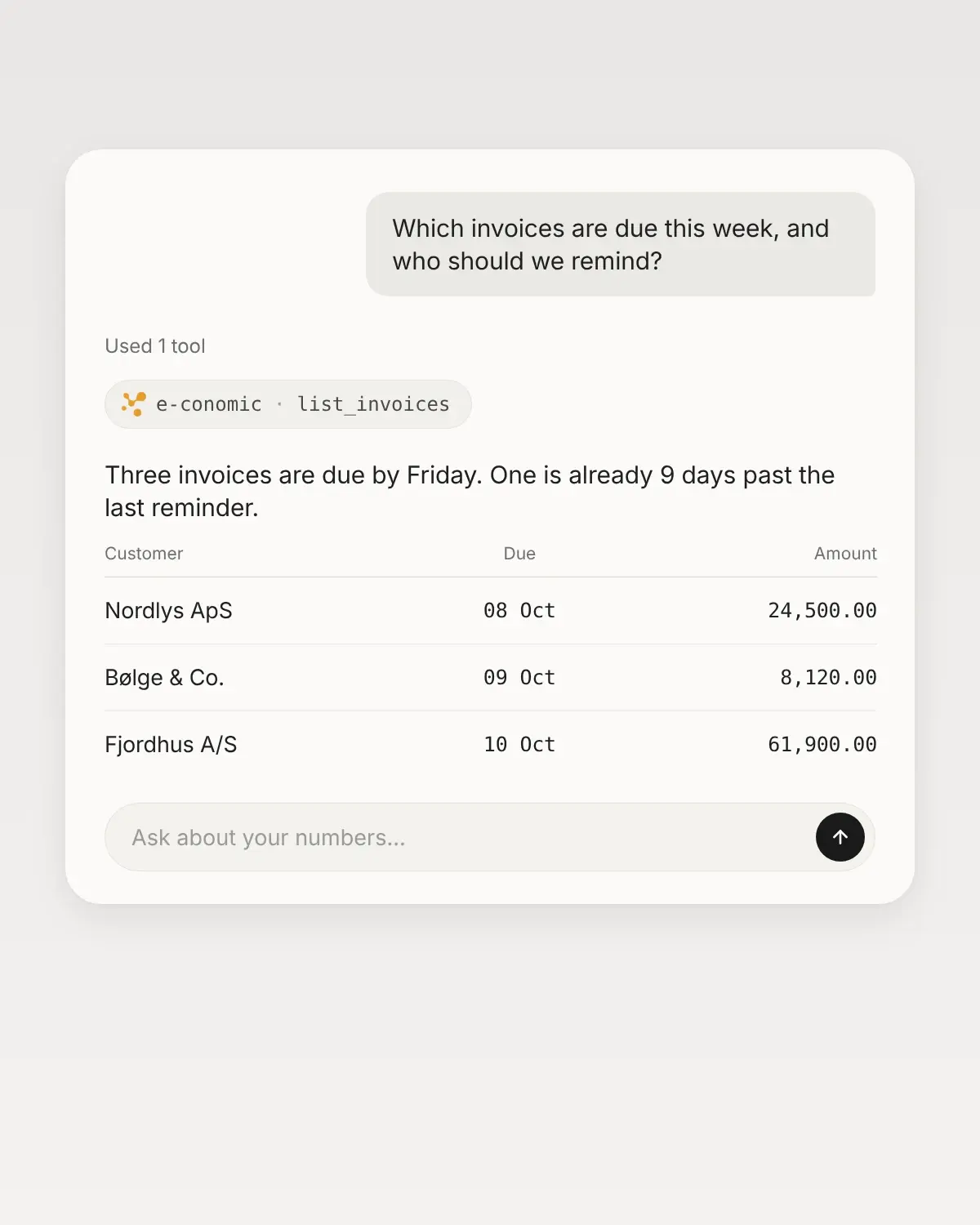
See which queries bring clicks

Straight from Search Console

Ask about the queries and pages that bring the most clicks, about a single query, or about the change from one period to the next. The answer comes from your own data in Search Console.

Choose who gets which tools

Access per employee

An administrator chooses, for each user including themselves, all 7 tools or exactly the ones that person needs. Nothing changes in Search Console: Consile only asks Google for access to fetch search data, so the assistant cannot submit sitemaps, request indexing or change settings.

Security

Several websites, one assistant

Company lock

The connection covers all the properties your Google account has access to in Search Console. Mention the domain in your question, and the answer gets more precise. To keep clients apart, an administrator can lock the connection to one website. Every call then stays with that website, and your AI assistant cannot reach the others. Each extra agreement gets its own address and can be locked to its own website.

Tools

What the assistant can do in Search Console.

7

read

Answers from your own search data. Google finalizes the numbers with a delay of a couple of days.

  • Queries and pages

    The queries and pages that brought the most clicks in a period, with impressions, CTR and average position.

    Ask, for example"Which queries have high impressions but low CTR?"

  • One query or one page

    Clicks, impressions, CTR and position for exactly one query or one page in the period you choose.

    Ask, for example"How many clicks did our page about cake orders get in September?"

  • The change between 2 periods

    Compare 2 periods, and see the change in clicks, impressions, CTR and position. Clicks and impressions are also shown as percentages.

    Ask, for example"Compare the last 28 days with the period before."

  • Advanced reports

    Numbers broken down by country, device or date and filtered by query or page. Here you also get the latest preliminary numbers and data for images, video, news and Discover.

    Ask, for example"How are the clicks split between mobile and desktop in Denmark?"

The assistant cannot submit sitemaps, request indexing or change settings in Search Console. URL inspection, index coverage and Core Web Vitals are not included.

Get started

5 steps from account to first answer, without code or consultants.

  1. 01 Buy the connector

    An administrator adds Google Search Console in the Consile portal. The first 7 days are free.

  2. 02 Connect Search Console

    Log in on Google’s consent screen with a Google account that has access to your properties, and approve read access to Search Console.

  3. 03 Choose access

    An administrator picks exactly the tools each person gets, including themselves.

  4. 04 Add it to your AI assistant

    Add the address from the portal as a connector in your AI assistant.

  5. 05 Ask the first question

    For example, which queries brought the most clicks last month.

Pricing

One price. Add more as you grow.

Free

0EUR/month

Try it with your own data, without talking to a salesperson.

  • 100 calls a month. A question typically uses 5-6 calls.
  • Every system except CVR
  • 1 user
  • 1 custom connector in Studio
Start free

For new accounts. It is ready the first time you log in.

All systems

45EUR/month

First user and first company. Every system is included, CVR and new systems too.

  • No cap of 100 calls. Fair use applies.
  • Extra user: EUR 22.50
  • Extra company: EUR 45
  • 3 custom connectors per user and per extra company
  • Extra custom connector: EUR 6.50
Start free

The first 7 days are free if you have not paid us before. No commitment.

One system

Buy only the system you need.

From EUR 19/month

An extra user or agreement costs half the price.

Search Console

249kr./md.

  • 1 bruger og 1 portal
  • Ekstra bruger eller portal: 124.50 kr./md.
  • Calls to the system do not count toward the 100 free calls.
  • The first 7 days are free.

All prices are per month and excl. VAT.

Questions about Search Console

Can the assistant change anything in Search Console?

No. All 7 tools read. Consile only asks Google for read access to Search Console and rejects the connection if Google grants anything other than exactly that. So the assistant cannot submit sitemaps, request indexing or change settings.

Can we choose which tools an employee gets?

Yes. Under Team, an administrator chooses None, All tools or Custom for each person, including themselves. With Custom, the administrator picks exactly the tools that person gets. An administrator can also turn tools off for everyone on the connector’s page, and new tools stay off until an administrator turns them on. The price is the same whatever you choose.

What do we need to connect?

A Google account with access to at least one verified property in Search Console. You approve Consile on Google’s own consent screen, and the access covers Search Console only, not Gmail, Drive or other Google services. Both administrators and members can make the first connection. Reconnecting or disconnecting takes an administrator, and if the connection is locked to one website, the administrator chooses it again afterwards. The connection applies to the whole organization, so colleagues do not need to connect again.

Does it work with several websites?

Yes. The connection covers all the properties your Google account has access to. To keep clients apart, an administrator can lock the connection to one website (one property). Every call then stays with that website, and your AI assistant cannot reach the others. All 7 tools still work on a locked connection. After a reconnect, the administrator chooses the website again before calls work. Each extra agreement costs EUR 14.50/month and gets its own address in your AI assistant. Use it for another Google account or for the same account locked to another website.

What does it cost?

EUR 29/month excl. VAT for 1 user and 1 agreement (one Google account). Each extra user or agreement costs EUR 14.50/month. The first 7 days are free, and there is no commitment. Also included in Consile Studio: all 13 systems from EUR 45/month for the first user and first company.

Can we cancel?

Yes. An administrator disconnects it in the portal, and the stored access is deleted immediately. Also remove Consile under Third-party access in your Google account. To stop payment as well, an administrator cancels the subscription, which then runs to the end of the period.

Contact

Ask us about the rest.

We use the details to reply to you. Privacy policy

See Search Console in your AI assistant.

Connect your first system and ask the first question. Free for 7 days.

Try free for 7 days