



Skip to content
consile

Uniconta in your AI assistant

Consile’s connector for Uniconta. Ask about debtors, suppliers, balances and inventory, and get answers from your own books.

Try free for 7 days

299

DKK/month excl. VAT for 1 user and 1 company (approx. EUR 40)

25

tools: 21 read, 4 change the daybook after a yes

5

AI assistants and more
ClaudeChatGPTMicrosoft CopilotGrokLocal AI (Ollama)

Only the daybook can be changed

The assistant proposes, you decide.

The 4 write tools work only in the daybook. You see a preview first, and nothing is booked until you have approved the specific lines.

Security

All your books, one question

Straight from Uniconta.

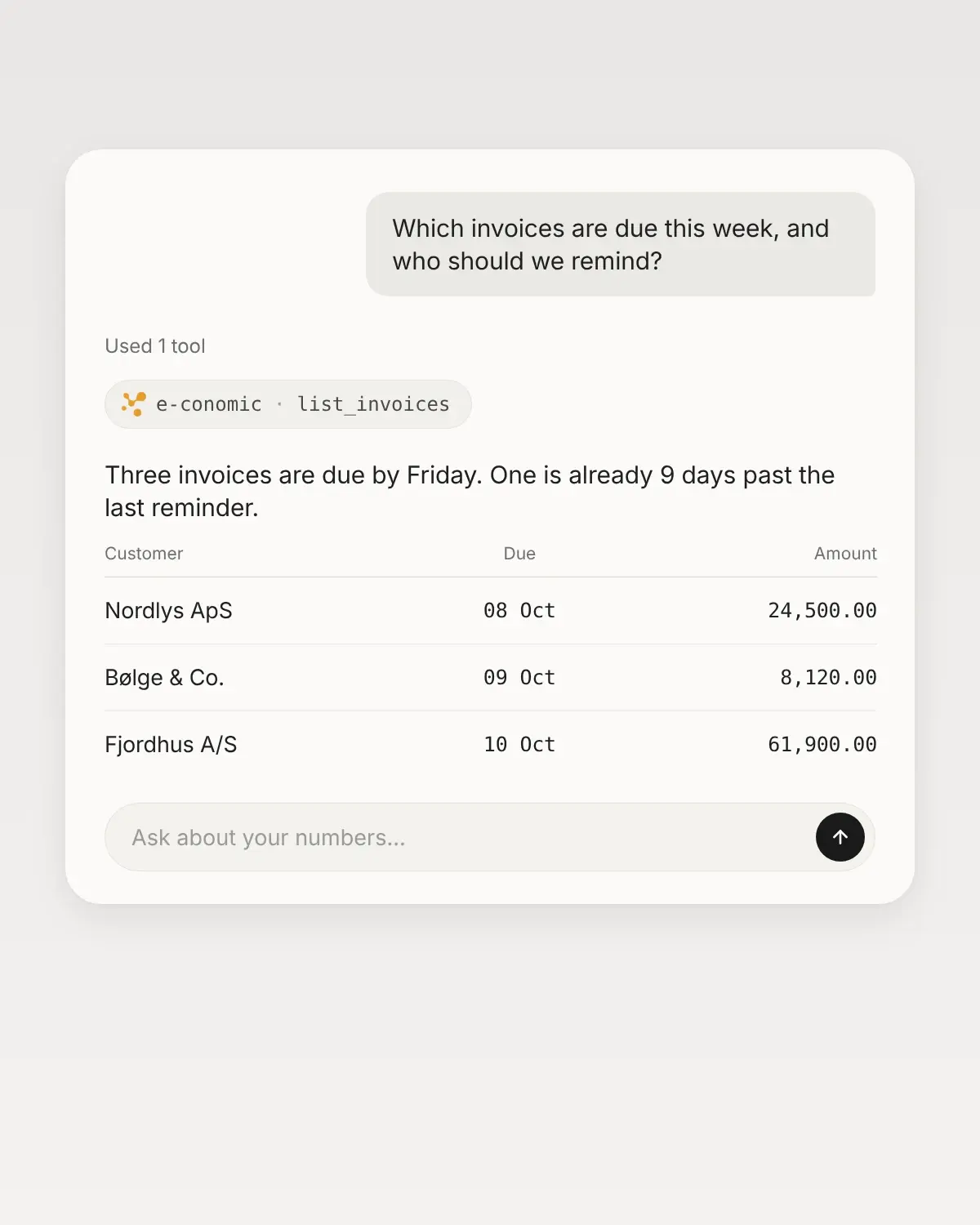
Ask about open items, balances, VAT codes or inventory, and get the answer from the numbers as they stand in Uniconta right now.

Several companies, one assistant

Each company is its own connection.

If you have several companies in Uniconta, you connect each company separately with its own Company ID. Each company gets its own address in your AI assistant.

Tools

What the assistant can do in Uniconta.

25 tools, grouped by what you can use them for. You write in plain language, and the assistant picks the right tool. An administrator decides which of them each employee gets.

21

read

Answers from your own numbers, fetched the moment you ask.

  • Debtors and receivables

    Open items, invoices, sales orders and entries per customer.

    Ask, for example"Which debtors have the largest open items right now?"

  • Suppliers and payables

    What you owe your suppliers, and which items are still open.

    Ask, for example"How much do we owe our suppliers in total?"

  • General ledger and VAT

    Chart of accounts with balances, ledger entries and VAT codes.

    Ask, for example"What is the balance on account 1010 right now?"

  • Inventory and items

    Items, item groups and inventory movements, also totaled across your entire item list.

    Ask, for example"Show the contribution margin per item group."

4

make changes after a yes

The assistant shows what will happen first. Nothing changes in Uniconta until you have said yes.

  • Daybook lines

    Create, edit and delete unbooked lines in the daybook, up to 50 at a time.

    For example"Create a daybook line: DKK 1,250 for office supplies on account 3617."

  • Booking entries

    Book exactly the lines you have seen and approved. Never the whole daybook at once.

    For example"Show the unbooked lines, and book the ones I approve."

The assistant cannot change customers, suppliers, items, invoices or booked entries. Booking cannot be undone.

How to get started

5 steps from account to first answer, without code or consultants.

  1. 01 Buy the connector

    An administrator adds Uniconta in the Consile portal. The first 7 days are free.

  2. 02 Create a server user

    Create a dedicated server user in Uniconta, and note the company’s Company ID.

  3. 03 Connect Uniconta

    Enter the username, password and Company ID in a form in the portal.

  4. 04 Choose access

    Give colleagues access under Team, and choose read only, full access or exactly the tools each person needs.

  5. 05 Ask the first question

    Add the address in, for example, Claude or ChatGPT, and ask for the balance on an account.

Pricing

One price. Add more as you grow.

Pay for the connector, and add users and companies when you need them. All prices exclude VAT and are billed in DKK.

Uniconta connector

299DKK/month

1 user and 1 connected company.

  • All 25 tools
  • Daybook with preview and approval
  • No commitment, cancel any time
Try free for 7 days

Excl. VAT. Approx. EUR 40.

Extra user

149.50DKK/month

Give a colleague access to the same connector.

  • Read only, full access or selected tools
  • Billed from the day access is given
Add later

Excl. VAT. Approx. EUR 20.

Extra company

149.50DKK/month

Connect another company with its own Company ID.

  • Its own address in your AI assistant
  • Same server user, if it has access
Add later

Excl. VAT. Approx. EUR 20.

Questions about Uniconta

Can the assistant change anything in our bookkeeping?

Only in the daybook, and only for employees who have the write tools. An administrator chooses for each employee: read only, full access or exactly the tools that person needs. The server user must also have write access to the daybook and permission to book in Uniconta. Otherwise Uniconta rejects the change, and nothing happens.

Can we turn tools off for the whole company?

Yes. An administrator can turn each tool on and off on the connector’s page in the portal. A tool that is turned off disappears for everyone. New tools stay off until you activate them yourselves. If you bought the Uniconta connector before 7 October 2026, the 6 daybook tools therefore have to be activated first.

What do we need to connect?

A dedicated server user in Uniconta and the company’s Company ID. A Uniconta administrator creates the user. A regular user or a Workapp user will not work.

Does it work with several companies?

Yes. Each extra company costs DKK 149.50/month (approx. EUR 20) and gets its own address in your AI assistant.

What does it cost?

DKK 299/month (approx. EUR 40) excl. VAT for 1 user and 1 company. Each extra user or company costs DKK 149.50/month (approx. EUR 20). Billing is in DKK. The first 7 days are free, and there is no commitment.

Can we cancel?

Yes. Disconnect in the portal, and Consile’s stored login is deleted immediately. To stop payment too, an administrator cancels the subscription, which then runs to the end of the period.

Contact

Ask us about the rest.

Write to us about the Uniconta connector, and we will reply by email. You can also try it free for 7 days.

We use the details to reply to you. Privacy policy

See Uniconta in your AI assistant.

Connect your first system and ask the first question. Free for 7 days.

Try free for 7 days